3D validation case
The 3D cases of biofilm growth without fluid coupling were also derived from the work of Eberl et al. These cases demonstrate the model’s ability to produce different types of biofilm.
We present here the case provided in tutorials/biofilmFoam/3d-B/.
This configuration involves growing biofilm on a 128 x 64 cell surface. On this surface,
821 cells (i.e., 10% of the surface) are randomly inoculated with biomass.
Nutrient supply is again provided by pure diffusion from the upper surface of the domain,
which is located 64 cells away from the inoculated bottom surface.
The physical dimensions are fixed in the system/blockMeshDict file
convertToMeters 1.89e-6;
Below is a commented version of the run script used to launch the case:
#!/bin/bash

. $WM_PROJECT_DIR/bin/tools/RunFunctions

app=biofilmFoam

# initialization of biomass field M
cp 0/M.org 0/M

# mesh creation
runApplication blockMesh

# other case
# runApplication inoculumGenerator -patch z0 -nbcells 83

# other case
# runApplication inoculumGenerator -patch z0 -nbcells 411

# application of inoculum on patch z0
runApplication inoculumGenerator -patch z0 -nbcells 821
runApplication topoSet
runApplication setFields

# domain decomposition (in 4 subdomains as described in system/decomposeParDict)
runApplication decomposePar

# run the case on 4 processors
runParallel $app

# reconstruct resulting fields
runApplication reconstructPar
runApplication and runParallel are internal OpenFOAM functions that automatically manage log files and retrieve the necessary arguments, such as the number of processors for the second function. To modify the number of processors to use for the calculation, we have to edit and adapt the system/decomposeParDict file.
Once the calculation is complete, the resulting fields can be reconstruct with the command
reconstructPar
Then, the results can be visualized using ParaView
paraview 3d-A.foam
The reconstruction step is not mandatory, as ParaView can load and visualize decomposed results on sub-domains (processor* folders), which is particularly useful for visualizing during calculations.
For the same inoculum at the bottom surface, different types of biofilm formation can be obtained, depending on the model parameters provided in the constant/transportProperties file, as illustrated below.
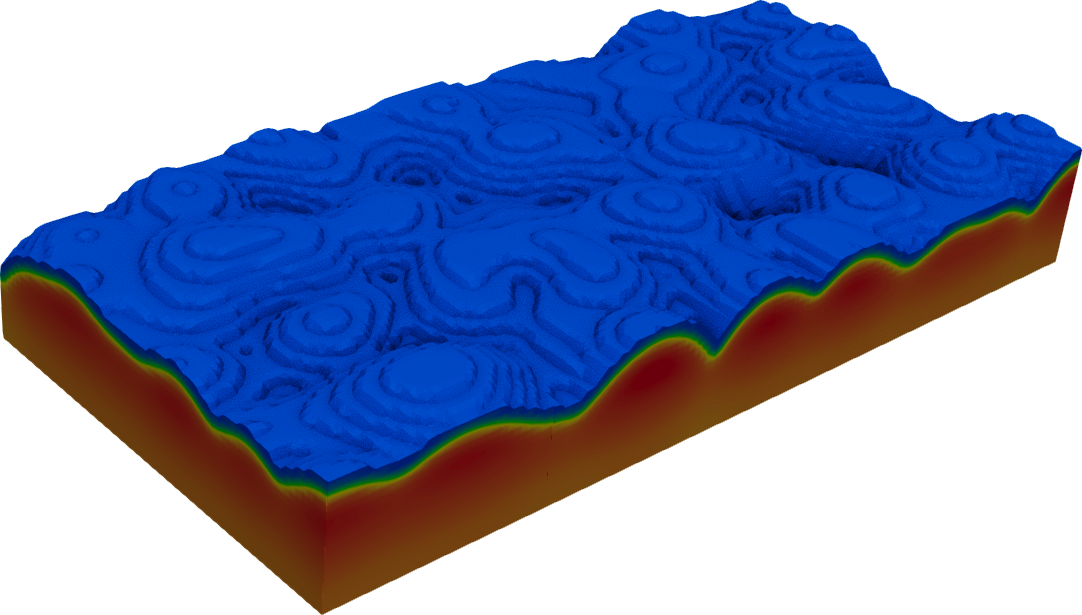
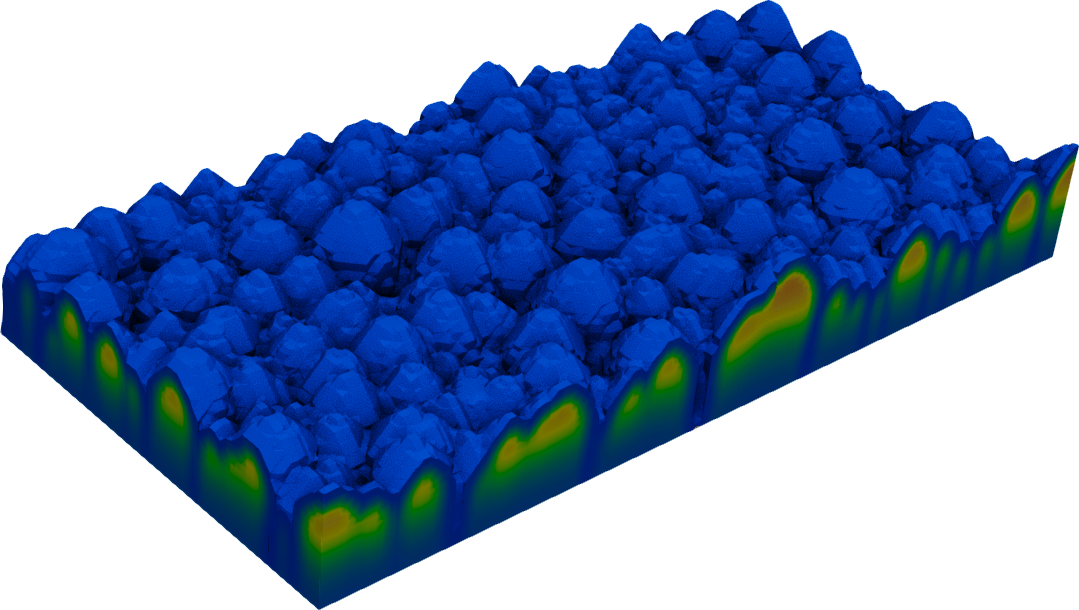
The biofilmFoam solver can be launched with the additionnal -zmax option, which automatically stops the solver when the biofilm phase reaches the specified height. This option is activated in particular for the illustrations above, with \(z_{max} = 0.3 h\), with \(h\) the domain height.